TI-Nspire CX Exam Assistant
A custom suite of mathematical and scientific programs written in Lua for TI-Nspire CX graphing calculators to assist in standardized testing.
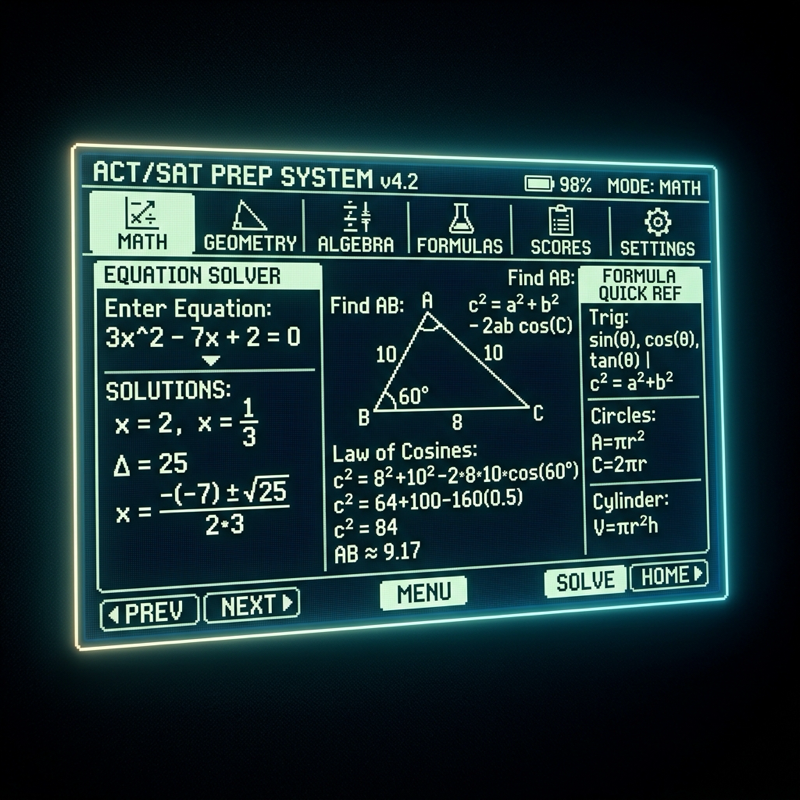
TI-Nspire CX Exam Assistant
The TI-Nspire CX Exam Assistant is an embedded software suite compiled for the Texas Instruments Nspire CX and CX II graphing calculators. Written in Lua and leveraging the native calculator graphics library, the program features high-performance solvers, formula sheets, and interactive coordinate geometry assistants to help students solve complex science and mathematics formulas on exams.
The Concept
During high-stakes examinations (such as the SAT, ACT, or AP Calculus exams), time management is the most critical factor. Solving formulas like the quadratic equation, distance formula, matrix conversions, or triangle trigonometry manually consumes valuable seconds and leaves room for arithmetic slips.
This program automates calculations by providing an intuitive, graphical menu directly on the calculator screen.
+-----------------------------------------------------------+
|                 TI-Nspire Calculator Screen               |
+-----------------------------------------------------------+
|  [MAIN MENU]                                              |
|  1. Coordinate Geometry   2. Triangle Solver              |
|  3. System of Equations    4. Chemistry Formulas           |
+-----------------------------------------------------------+
                             |
               [User Input Event Listeners]
                             |
                             v
+-----------------------------------------------------------+
|                   Lua Math Solver Engine                  |
|  - Validates constraints (e.g., non-zero denominators)   |
|  - Computes exact radical and fraction outputs            |
|  - Generates step-by-step intermediate matrices           |
+-----------------------------------------------------------+
                             |
                             v
+-----------------------------------------------------------+
|                   TI-Nspire Graphics (gc)                 |
|  - Renders custom pixel layouts and menus                 |
|  - Draws triangles with calculated angles and sides       |
+-----------------------------------------------------------+
Technical Implementation
1. Embedded UI & Menu System
The TI-Nspire’s Lua runtime operates in an event-driven system similar to traditional game engines. The program overrides the on.paint(gc) method to draw custom text fields, buttons, and layouts on the 320x240 color screen. It handles keyboard events (on.charIn, on.arrowKey) to enable fluid cursor navigation without relying on slow default calculator input dialogues.
2. Analytical Geometry Solvers
For coordinate geometry questions, users input two coordinate points $(x_1, y_1)$ and $(x_2, y_2)$. The solver calculates and outputs:
- The exact midpoint coordinate.
- The exact distance (returning both decimal values and simplified radical terms, such as $3\sqrt{5}$).
- The slope of the line, including perpendicular slope and full linear equations ($y = mx + b$).
3. Trigonometric Angle Finder
Using Law of Sines and Law of Cosines, the triangle solver analyzes incomplete triangle data (e.g., Side-Angle-Side or Side-Side-Side configurations). It solves for all missing angles and side lengths and renders a visual representation of the solved triangle on screen, ensuring the student can visually verify the solution’s shape.
Engineering Challenges
Working with the TI-Nspire Lua environment presents severe resource limitations:
- Low RAM & Storage: Algorithms must be lightweight, using minimal variables and optimized array indexes.
- Limited Screen Space: Screen coordinates are fixed, requiring precise mathematical positioning of elements to support variable screen resolutions.
- Strict Sandbox: The environment does not allow standard filesystem access, meaning all mathematical libraries and templates must be packed into a single script file.